Pets
Pets and your home
A pet walks beside you, grows as you play and has abilities - some find you XP, gems or items, some just look great. You never need to feed it.
What each ability does, and how to get more of them: Pet abilities.
Getting a pet
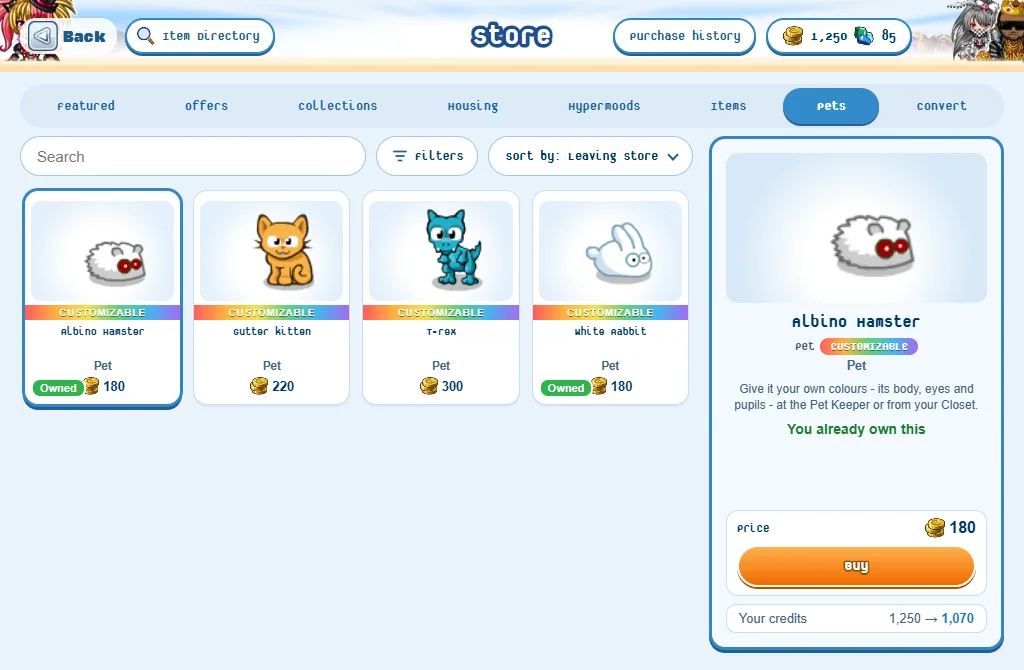
- Pets are sold in the Store’s Pets tab. The page shows each price.
- Some come as rewards: a level reward, a quest (Guruji’s Riddle Trail gives a pet), or a trade with another player.
- The pets marked Customizable can be given your own colours.
- You can own as many pets as you like. Each one is its own pet, with its own name, level, rarity, abilities, colours and hat - even two of the same animal.
- A new pet starts at level 1, with a random ability.
Walking with your pet
- Open your Closet and go to the Pets section.
- Press your pet: it comes beside you in the Closet, and its buttons show.
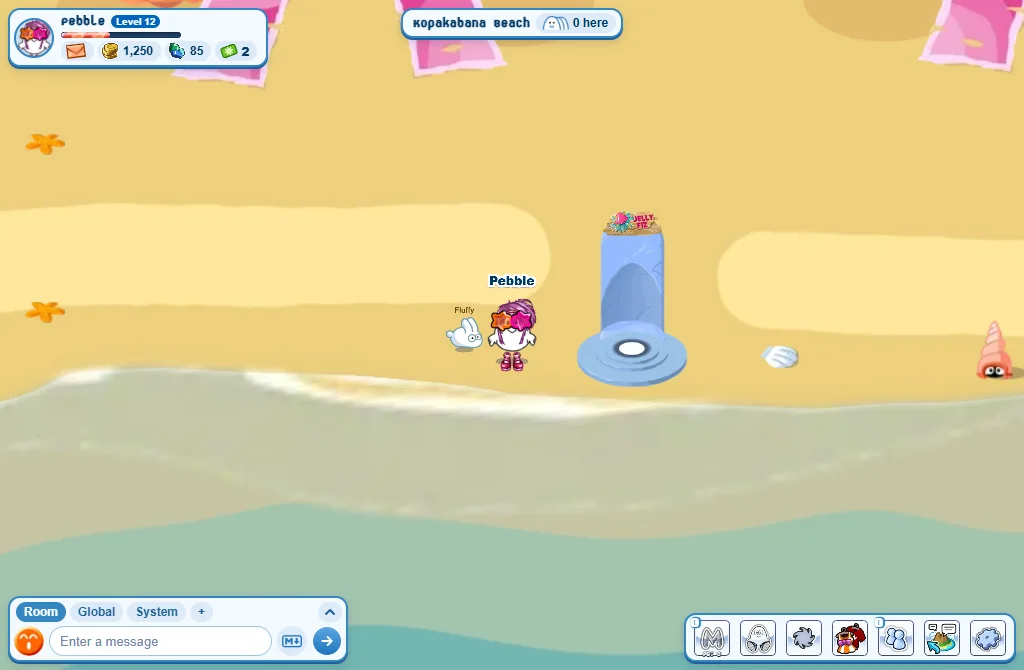
- Press Save my look (or Walk with it): it comes out and follows you.
- One pet walks with you at a time. It is still with you when you come back to the game.
- Click (or tap) your pet in the room for its card: Put away, Fetch (if it has that ability), Hat, Name it and More.
- When you sit down, your pet waits on the floor beside you.
Naming your pet
- Press Name it on its card or in your Closet.
- Its first name is free. A new name later costs 15 credits.
- A name has up to 8 letters, and the chat rules apply to it.
Levels
- Your pet earns 1 pet XP for every minute it walks with you while you play.
- Each level needs 30 XP times its level: level 2 comes after 30 minutes, level 3 an hour after that. The top level is 30.
- A pet that lives in your home gets 50 pet XP a day (up to 7 days are kept while you are away).
- Its card shows its XP to the next level, and says when it goes up: reached level N!
- What levels give: from level 3 it can be coloured; at levels 10, 20 and 30 it gets a new ability slot; finders find more as it grows, and Speedy and Game buddy get stronger. Rarity upgrades need levels too.
Animal upgrade tokens
- Tokens upgrade your pet’s rarity, change an ability or unlock an ability slot early: see Pet abilities.
- You get 1 token every 5 of YOUR levels (5, 10, 15...), 1 for finishing a quest, and 1 from the daily treasure chest.
- A pet that finds things sometimes finds a token too.
- Tokens are also sold in the Store.
- Your pet’s buttons in the Closet show how many tokens you have: Upgrade tokens.
Colouring your pet
- Walk with your pet until it reaches level 3.
- Go and see the Pet Keeper on Kopakabana Beach and press Colour a pet - or press the pet in your Closet, then Colour it.
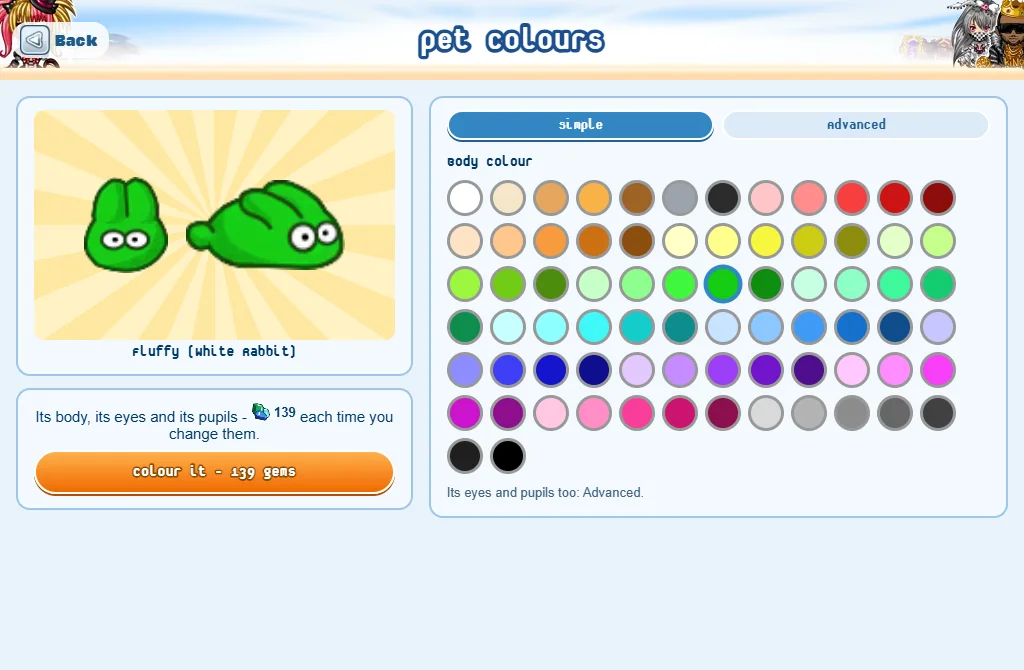
- Simple: pick a body colour. Advanced: pick the colours of its body, its eyes and its pupils - from the chart, or type a colour code.
- Press the Colour it button: it shows the price, in gems, and asks once more.
- Colours are paid in gems only, each time you change them. Back to its own colours is free.
- Only the pets marked Customizable can be coloured (35 kinds).
- A Panda’s body can’t be white or very pale.
- A pet keeps its colours when it is traded.
A hat for your pet
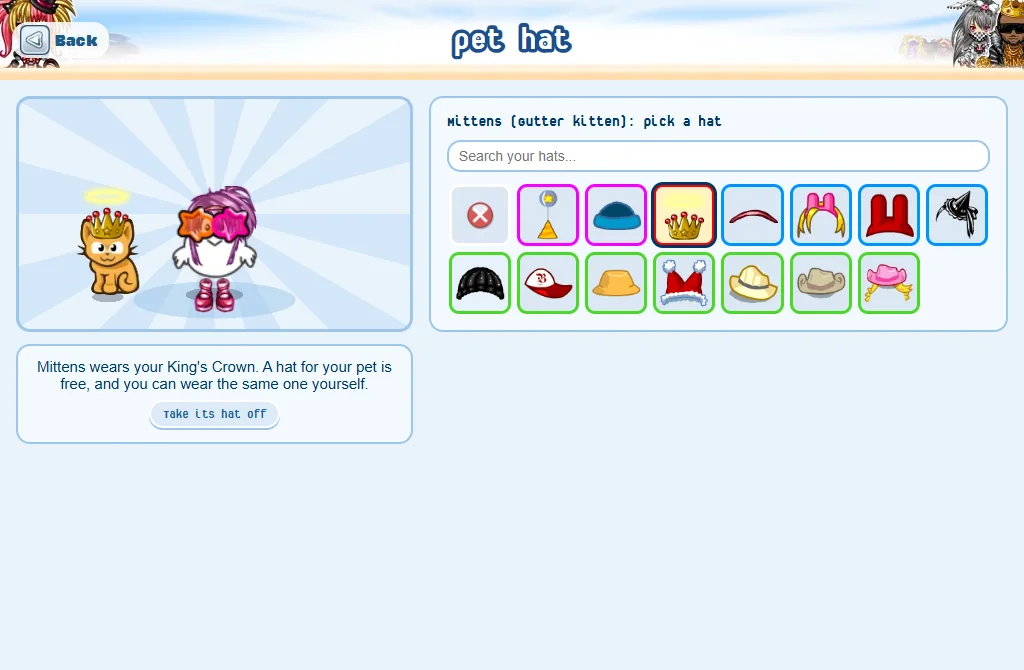
- Click your pet in the room and press Hat - or press it in your Closet’s Pets, then Give it a hat.
- Press one of your hats: your pet wears it at once.
- Take its hat off takes it off again.
- It is free, at any level, and the hat is not used up: you can wear the same hat yourself, and several pets can wear it.
- Any hat you own will do. 30 kinds of animals can wear one: the hat buttons only show for them.
- If you no longer have that hat (traded, sold, dropped), it comes off your pet.
Pets in your home
- Up to 5 of your pets can live in your home: set them in Edit mode, under Pets at home.
- They wander around your home even while you are away - and each earns 50 pet XP a day there.
- The pet walking with you is not shown at home.
- A pet with Homebody can be patted by your visitors: see Pet abilities.
- More about your home: Your home.
Trading a pet
- Press the pet in your Closet, then Add to trade list.
- Trade with another player as usual: see Trading.
- Both players need level 5. Not every animal can be traded: its menu says so.
- The pet keeps its level, XP, rarity, abilities, slots, name, colours and age.
- Its hat stays with you, and it leaves your home.
- Both players see exactly which pet is offered: its name, level, rarity and abilities.
- If you have several of the same animal, a trade gives the lowest level one that is not walking with you.
- Pets can’t be sold in a shop at the Market or on the Trading Post, and can’t be dropped.
Good to know
- Some pets are drawn on you instead of beside you: a cloud, a crowd of fans, a throne... Some of these have no ability.
- Munidark’s stolen pet is a quest that needs a pet walking with you: see Quests.
- The Today tab of My Tasks shows what your pets found today.
- In a busy room only the nearest pets move and show their abilities (8 on a computer, 4 on a phone) - yours always does.