The player menu
Playing together
Friends, messages, trades, votes, games and reports all start in the same place: the menu of the player - and the profile card it opens.
Opening it
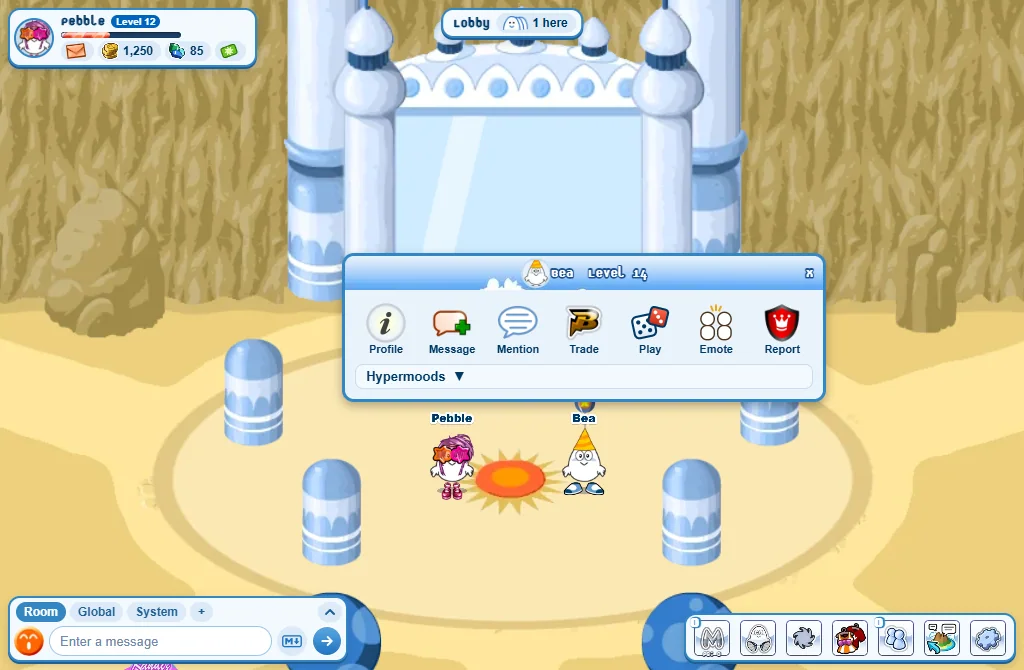
- On a computer: right-click the player.
- On a phone: tap the player.
- Pressing a name in the Global chat opens it too, with fewer buttons: that player is not in your room.
The menu’s buttons
- Profile: their profile card - see below.
- Message: a private conversation. You can write to anyone you don’t ignore.
- Mention: writes
@and their name in your chat box. - Trade: ask them to swap items. From level 5.
- Play: challenge them to Four Clovers, Chess, Bacteria, Shifumiz or a Fashion Contest - see Fashionista.
- Fashionista: their outfits and Fashion Contests, to vote on.
- Emote: do something together - High five, Hug or Dance together. See Actions and emotes.
- Report: tell the moderators about a problem.
- Hypermoods: play one of yours on them.
- Sometimes more: Shop when they have a shop open at the Market, Party in Munidark’s Swamp, Send out and Not welcome in your own home.
The profile card
Press Profile in the menu. The card shows:
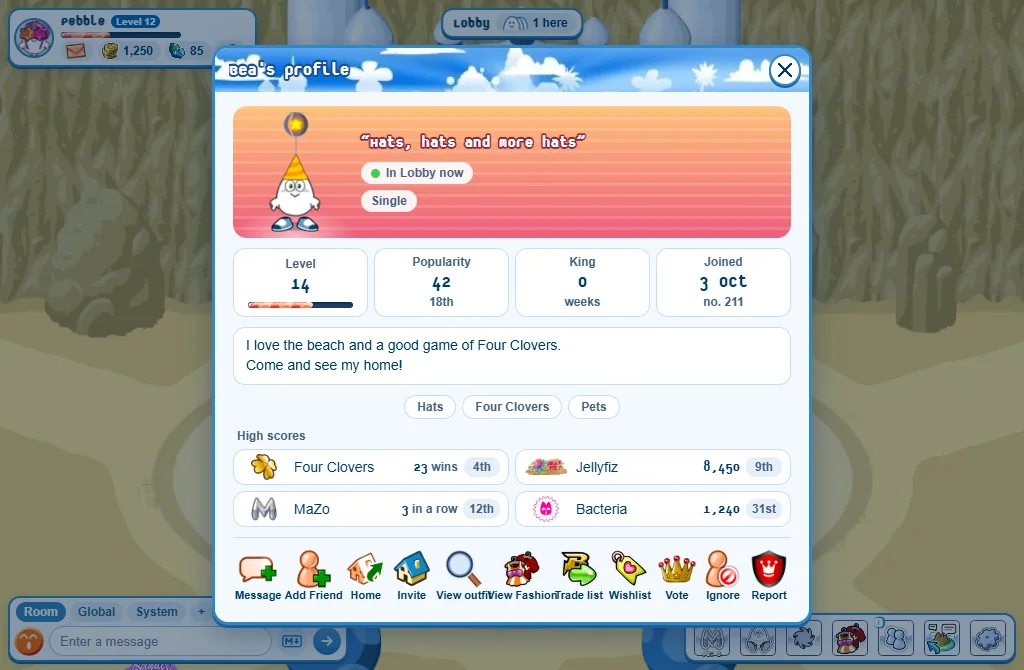
- Their picture on the colours of their page, their motto, where they are, and who they are married to.
- Their level, their popularity, how many weeks they were King of the Week, and when they joined.
- What they wrote about themselves, their interests and their High scores.
- The King of the Week’s card is edged in gold, with the Crown.
The card’s buttons
- Message: a private conversation.
- Add Friend: send a friend request. (Remove Friend when you are friends.)
- Home: go to their home.
- Invite: let them into your home for the next two minutes.
- View outfit: see what they are wearing, piece by piece.
- View Fashion: their Fashionista outfits.
- Trade list and Wishlist: what they are ready to swap, and what they dream of. Each item has a button to put it on your own wishlist or trade list.
- Vote: vote for or against them for King of the Week. From level 5.
- Ignore: stop seeing what they write.
- Report: tell the moderators about a problem.
View outfit
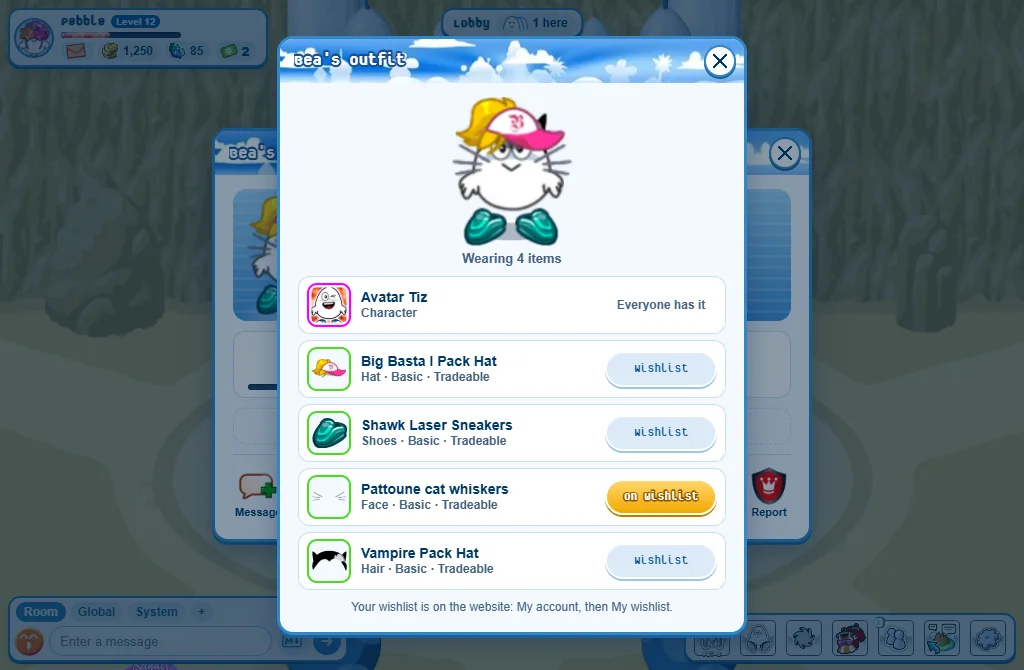
- Each piece shows its name, its rarity and whether it can be traded.
- Wishlist adds the piece to your wishlist. You have it means it is already yours.
- Your wishlist is on the website: My wishlist.
Good to know
- A plain click on a player (computer) only writes
@and their name in your chat box. - A greyed button tells you why when you rest the mouse on it.
- What your own card says is your page: write it in your Closet’s My page, or on the website.