Actions and emotes
Playing together
Your Tiz can do more than walk and sit. Jump, wave, dance and more - on your own, with another player, or with the whole room.
Jump and the actions
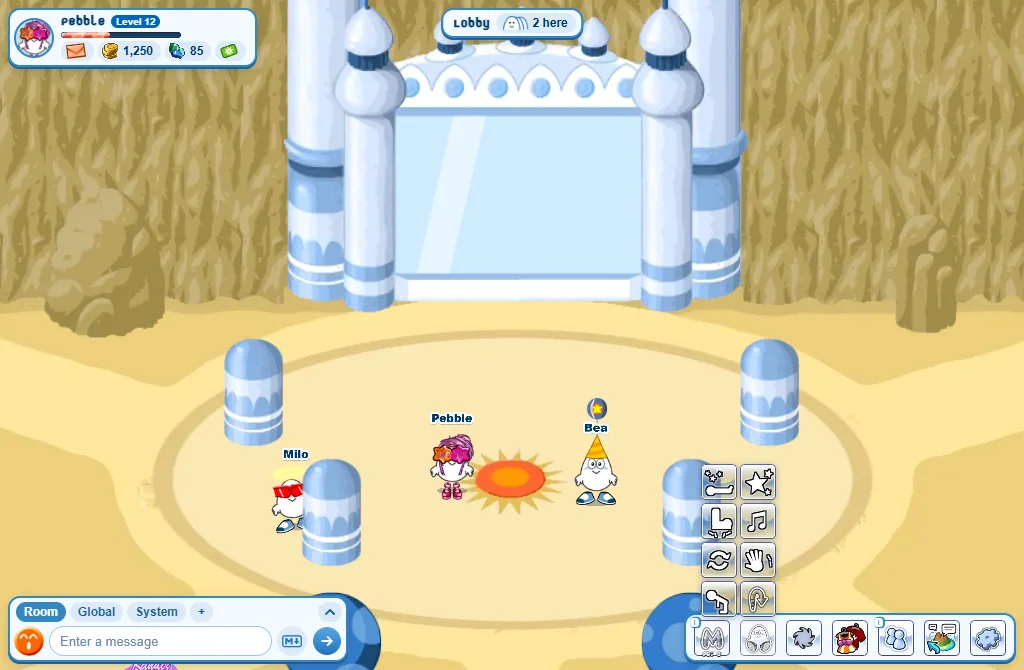
- Rest the mouse on Sit: a tray of buttons opens over it.
- Press Jump - or an action: Wave, Dance, Cheer, Bow, Spin, Faint or Stomp.
- An action goes on until you stop it: press its button again, walk, jump or sit. (Spin stops by itself.)
- On a computer the Space bar jumps. Press again in mid-air for a double jump!
- You can type them too:
!jump,!wave,!dance,!cheer,!bow,!spin,!faint,!stomp. - Everyone in the room sees it - even players who walk in while you are dancing.
On a phone: hold your finger on Sit for a moment: the tray opens and stays a few seconds. A quick tap still sits you down.
Doing something together
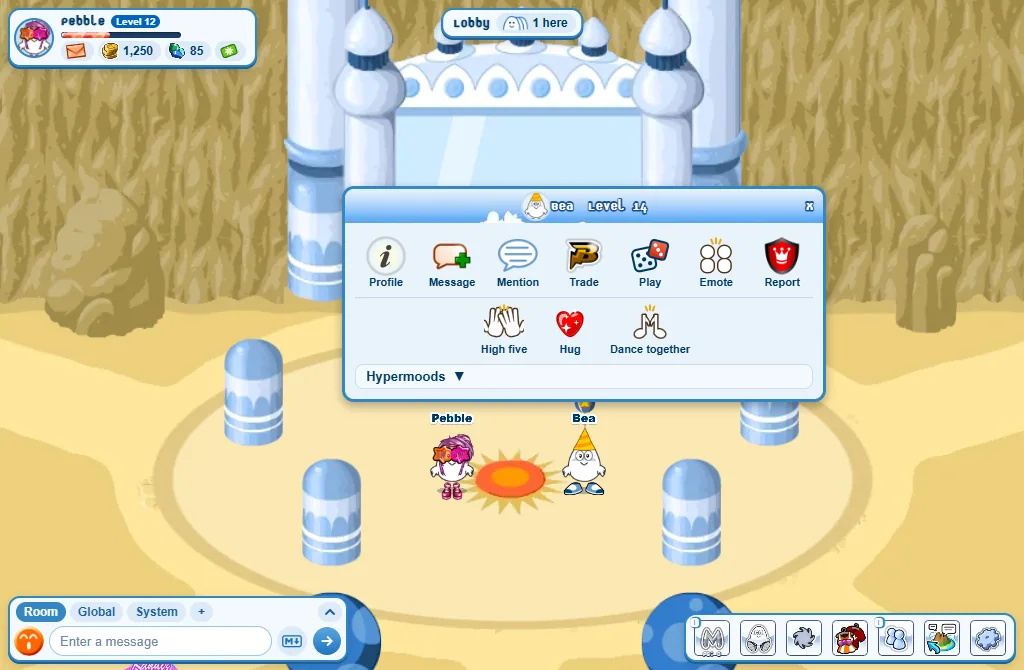
- Open the player’s menu (right-click them, or tap on a phone).
- Press Emote.
- Pick High five, Hug or Dance together.
- They get a card and choose. If they say yes, they walk up to you and you do it together.
- A high five is quick. A hug and a dance together go on until one of you moves.
- You both need to be standing, in the same room.
When someone asks you
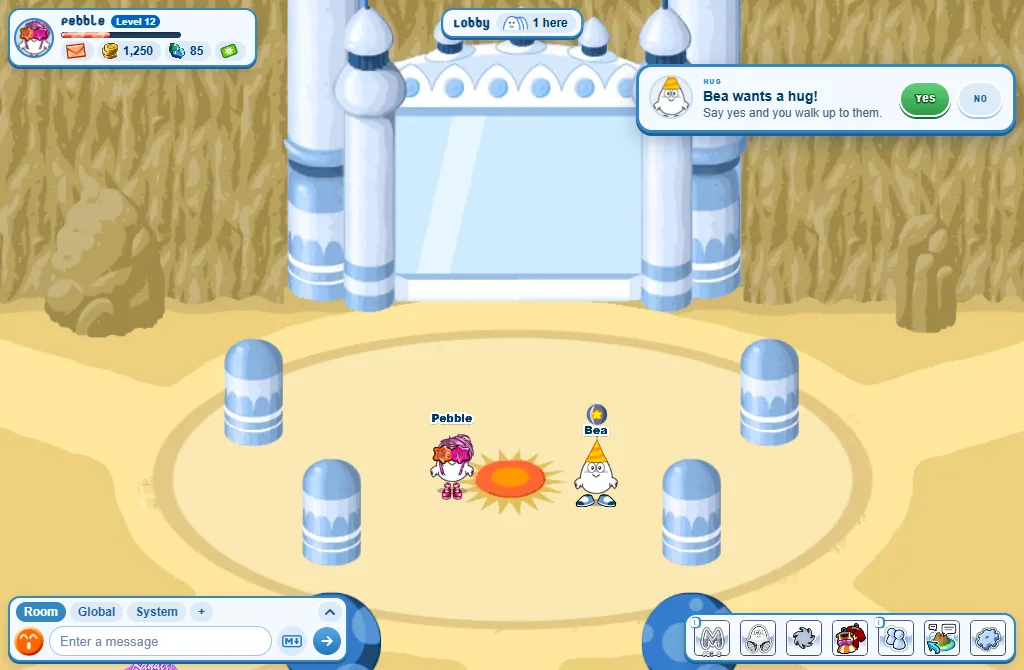
- A card says what they want - Bea wants a hug! - with Yes and No.
- Yes walks you up to them, and off you go.
- The card waits half a minute. A player you ignore can’t ask you.
With the whole room
- Four players jumping, waving or dancing together make a room moment: confetti and gems.
- Every hour the room gets a room challenge: do an action on your own or together, within the time.
- Both have a guide of their own: Room moments and challenges.
Hops for joy
- Your Tiz hops for joy by itself when you reach a new level, win at Four Clovers, or take your MaZo streak to 5, 10, 15...
Good to know
- Too many asks? Wait a little before asking the same player again.
- The boing of the jumps can be switched off: Settings, Game, Jump sounds.