Friends and messages
Playing together
Friends can send each other private messages, and find each other’s home in one press.
Adding a friend
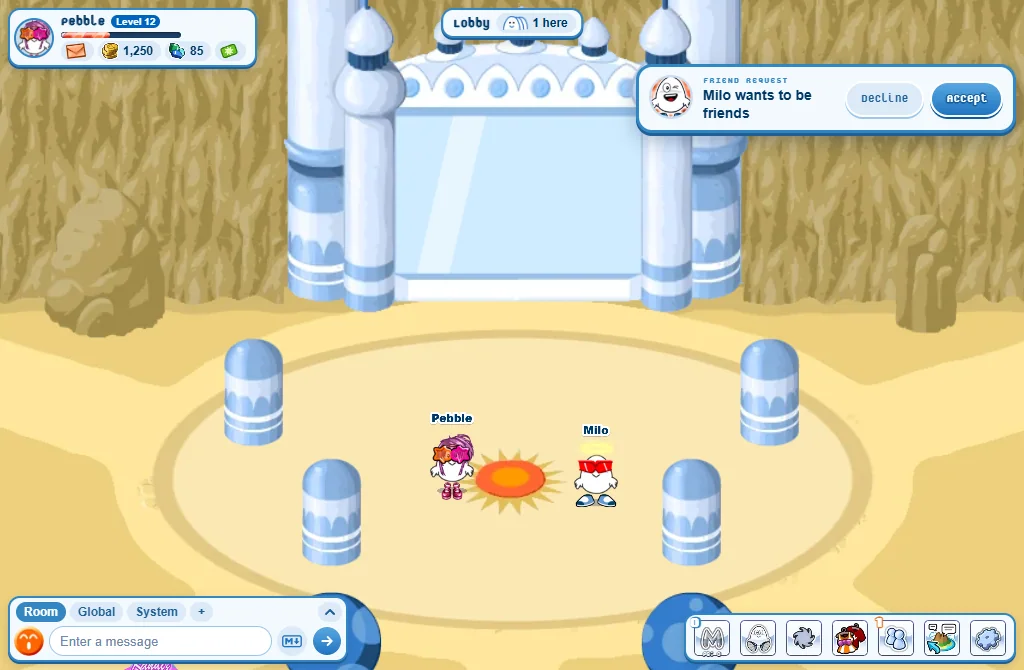
- Open the player’s menu (right-click them, or tap on a phone) and press Profile.
- Press Add Friend on their card.
- They get a note with Decline and Accept. If they miss it, it waits in their Friends window.
- On the website, the Add friend button is on every player’s page and in the Player Lookup.
The Friends window
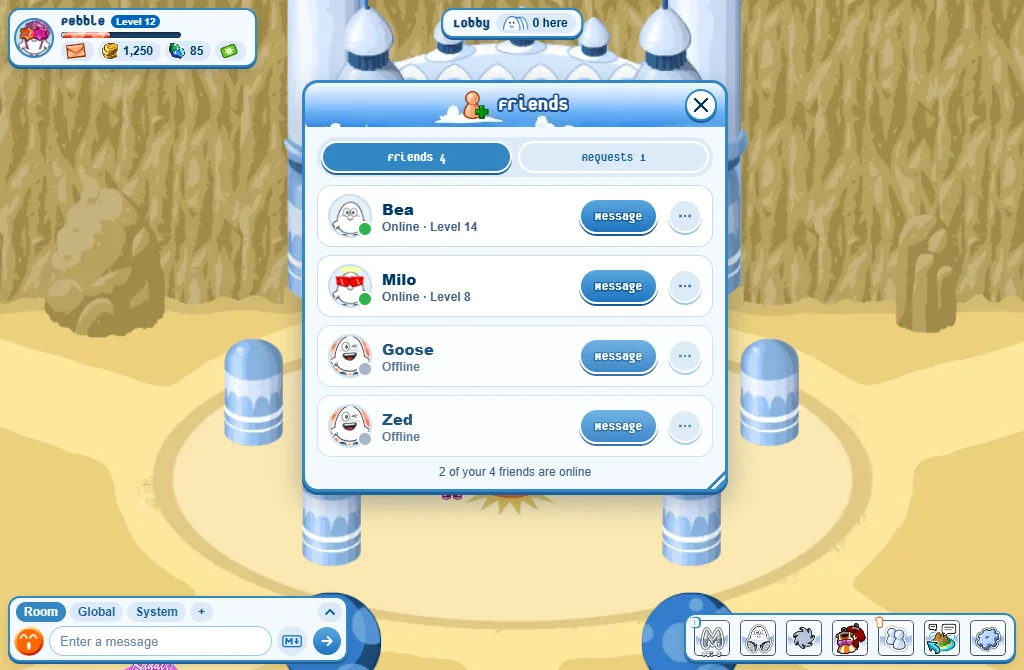
- Press the Friends button. Its small number is how many friends are online - or, in orange, how many requests are waiting.
- Friends: who is online (green dot), with Message. The ... button has Visit their home and Remove friend.
- Requests: the ones you received (Accept / Decline) and the ones you sent (Cancel).
- When a friend comes online, a note tells you.
Private messages
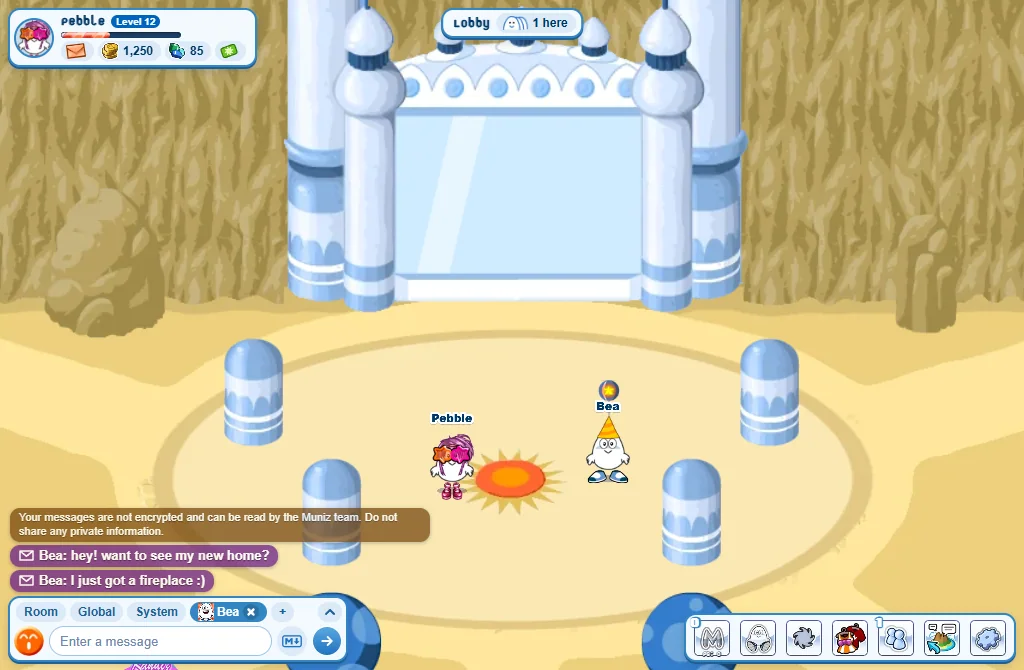
- Press Message in the Friends window, or in the player’s menu.
- On a computer the conversation opens as a new tab of the chat, with the player’s picture and name.
- Type in the chat box while that tab is chosen: only that player reads it.
- You can write to anyone you don’t ignore - a friend or not.
- Not on the island right now? Your messages are kept for them to read later. (To players who are away, not your friends and haven’t written to you, 10 a day at most.)
- When you open a conversation, your last messages together are there.
- A number on the tab tells you how many new messages you haven’t read. Its little x closes it.
- Private messages are not secret from the Muniz team: never share private information.
On a phone: the bubble button beside the talk box opens the Chat history: each conversation is a tab there.
Good to know
- You can’t be friends with someone while one of you ignores the other.
- Removing a friend is for both of you: you would need a new request to be friends again.
- Your friends are on the website too: My friends.