Room Raffles
Playing together
A Room Raffle puts one item up for grabs in a room. Players enter, and when the time is up the game draws the winner.
When a raffle opens
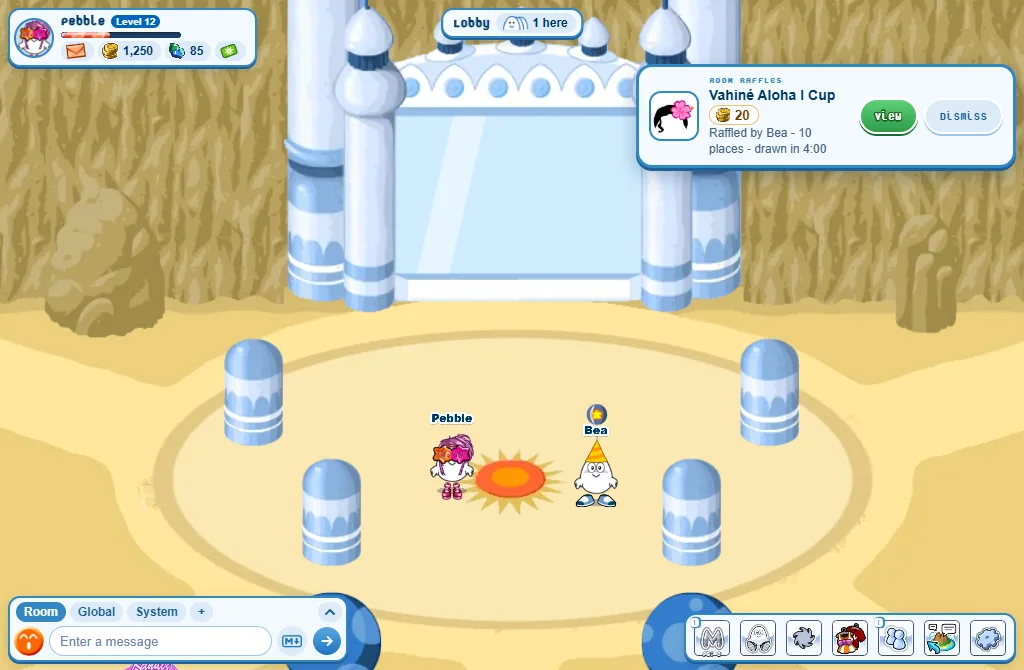
- A Room Raffles card shows the prize, the price of an entry (free, or credits or gems), who raffles it, how many places and when it is drawn.
- View opens the raffle. Dismiss closes the card.
- Walk into a room with a raffle open and the card shows too.
Entering
- Press View: the Room Raffles window opens on In this room.
- Press Enter beside the raffle you want.
- One entry each. A price is paid at once.
- You need level 5 and an account 14 days old, and you must be in the raffle’s room.
- The draw is automatic: when the time is up, or when the last place is taken. The winner is picked at random, and the prize goes to their Closet.
- The System tab says who won.
Hosting a raffle
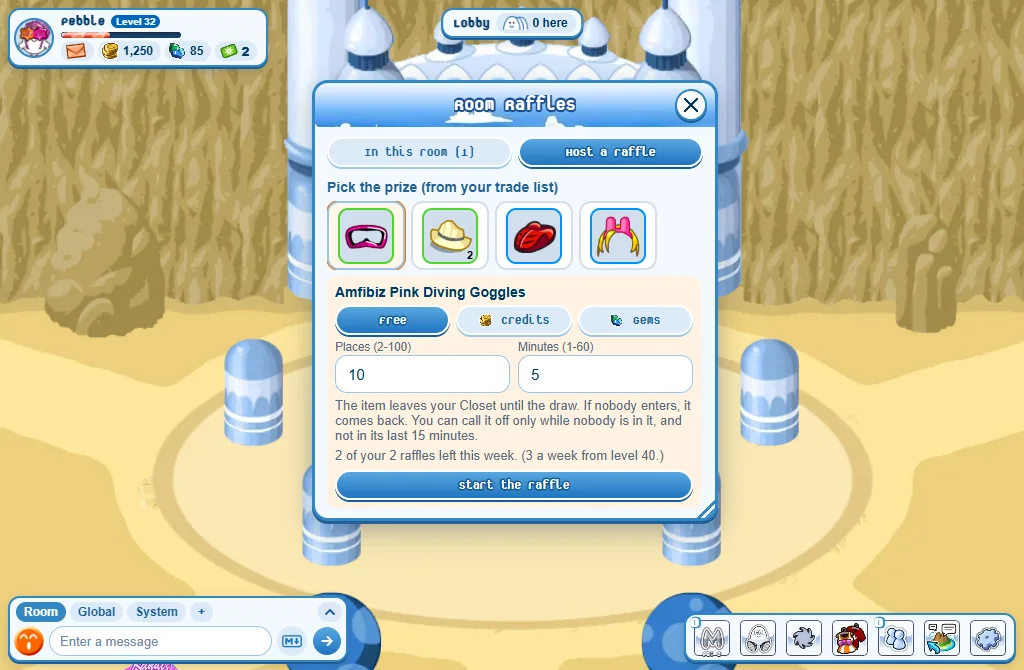
- Put the item in your trade list: in your Closet, press it, then Trade list.
- Open the window: Settings, Activities, then Open beside Room Raffles - or type
!rafflein the chat. - Go to Host a raffle and pick the prize.
- Choose Free, Credits or Gems, the price of an entry, the Places and the Minutes.
- Press Start the raffle.
- From level 15: one raffle a week, 2 a week from level 25, 3 from level 40. A new week starts on Monday.
- Asking credits needs level 30. An entry costs 100 at most.
- The game keeps 20% of what the entries pay. The window shows what you would get.
- The item leaves your Closet until the draw. Nobody entered? It comes back.
- Call off works only while nobody is in, and not in the raffle’s last 15 minutes.
Good to know
- Only items you could trade can be raffled: no pets, no furniture.
- A room holds 2 raffles at a time, and you can host one at a time.
- There are no raffles on the island map or in a game’s own room.