The Store
Your Tiz
The Store sells for credits or for gems: each thing shows its own price.
What is on sale changes: look for New and Leaving soon.
Opening the Store
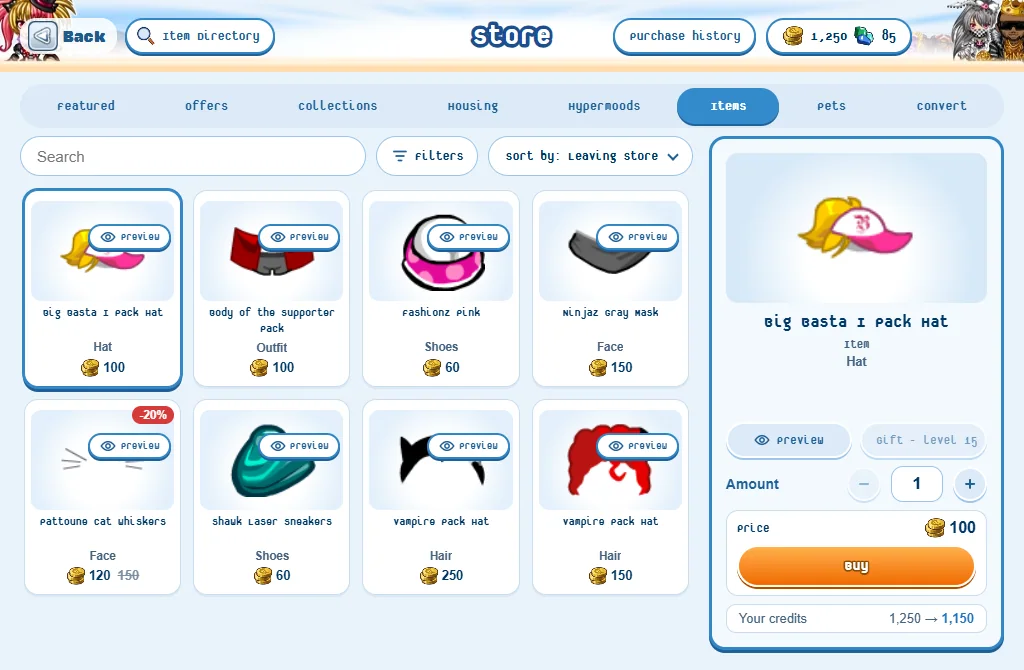
- In the game, press your credits or your gems at the top left. (There is no Store button among the seven.)
- Or talk to a Store Keeper.
- On the website: Store.
- At the top: Item Directory (every item of the game, to look up) and Purchase history.
- Your cart: in the Store in the game; on the website at the top of every page, or My cart.
Buying something
- Pick a tab: Offers, Collections, Housing, Hypermoods, Sets, Items or Pets.
- Press a tile to see what it is.
- Press Add to cart. Add as many things as you like.
- Open your cart: in the game from the Store; on the website the cart at the top of every page, or My cart.
- Check what you’ll get, the discounts and the total, then press Checkout.
- Confirm purchase lists everything once more with the total: press Buy. There are no refunds.
- One cart for the game and the website: what you add in one is in the other.
- In the cart: change how many with - and + (items and booster packs), or Remove a thing.
- Each discount is shown by its name: the Store’s offer, your level (5% from level 40, 10% from level 75) or Premium (5%) - the bigger of those two, on prices in credits.
- What you bought is in your Closet at once. Booster packs are opened right after the checkout - and a NEW PURCHASE! sign with fireworks pops up over you for the room to see. (Never the price.)
- Not enough credits? The cart says how many more you need, with a Get credits button: it opens the website’s Get credits page.
- Something that can’t be bought right now stays in your cart, greyed, saying why - it leaves the total.
- Pets marked CUSTOMIZABLE can take your own colours. Skins marked ANIMATED have an effect that keeps moving over your skin.
On a phone: tap a tile and its details slide up from the bottom.
Sending a gift
- Press a tile, then Add as a gift.
- A collection: pick 1 booster pack or The whole collection.
- Press the friend it is for (many friends: search for them), then Add to cart.
- Or, in your cart: Gift to a friend on something already in it (Make it mine takes it back).
- Check out as for anything else: you pay; there are no refunds.
- Gifts open at level 15. You can send 5 gifts a week - the week starts again on Monday. A gift in your cart counts when you check out.
- Gifts go to your friends only, one of each thing.
- Your account must be at least 14 days old to send a gift.
- A gift paid in credits counts in the 6,000 credits two players can pass each other in 7 days (with trades and the Market). A gift paid in gems doesn’t.
- Items, sets, collections and furniture can be gifts. Hypermoods, pets and special items for your home can’t.
- It goes straight to their Closet - even when they aren’t playing. A booster pack is opened for them.
- They get one gift notification for everything you sent them: “(your name) has bought you a gift. You’ve received the following items:”, then each item.
- Your friends’ wishlists (on My cart) shows what your friends wish for that the Store sells now - with Add as a gift.
- You can’t send a gift to a player who ignores you.
Finding something
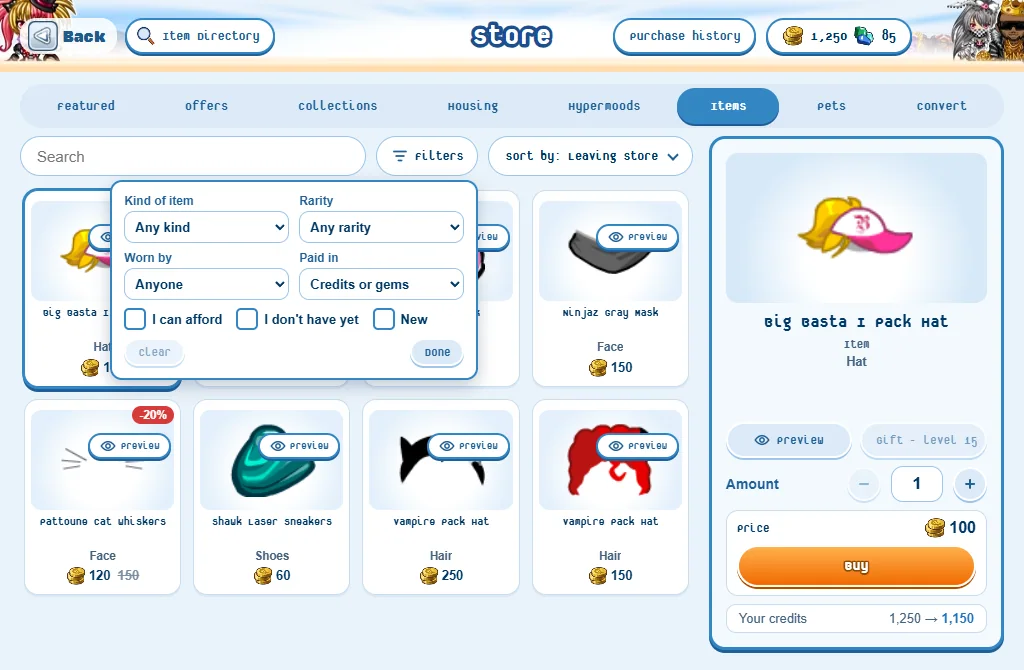
- Search finds a name in the tab you are on.
- Filters: Kind of item, Rarity, Worn by and Paid in, and three boxes - I can afford, I don’t have yet and New. Clear takes them all off, Done closes the panel.
- Sort by: what leaves the Store first, the latest, the price, the name or how many items.
- The filters are off again each time you open the Store.
Collections: a draw or the whole thing
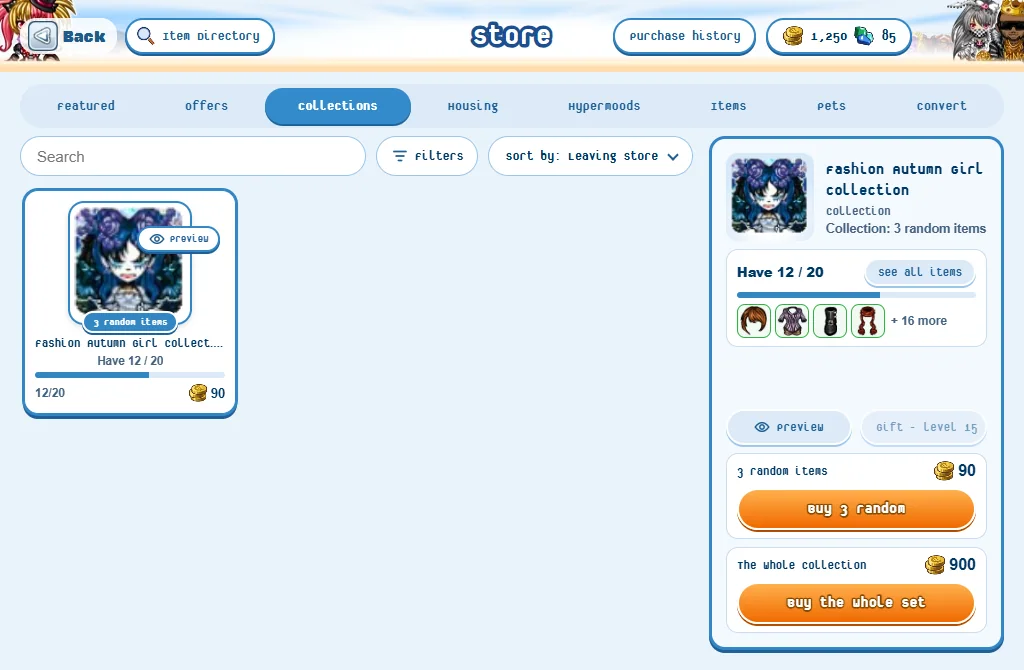
- N random items: a booster pack. You get that many items of the collection, picked at random.
- The whole collection: every item, in one purchase.
- Some collections are only sold whole: their tile says Whole collection.
- Have 3 / 12 shows how much of it you already own.
What the website can’t sell
- Clothes, sets, collections and furniture can be bought on the website.
- Hypermoods, pets and home items (Doorways, the At Home NPC) are bought in the game.
Good to know
- Something new arrives in the Store while you play? A New in the Store note shows it: See it takes you there.
- While you look at the Store, the others see you behind a curtain with shopping bags.
- From level 40, everything you pay in credits is 5% cheaper, from level 75 10% (hypermoods aside). Premium members get 5% off too - the bigger discount counts, never both.
- The star on an item of the website adds it to your wishlist: your friends can see what you dream of.
- You can’t shop in the middle of a trade.