Visiting homes
Pets and your home
Other players’ homes are worth a visit: give a star to the ones you like.
Finding a home
- A player’s profile card (their menu, then Profile): Home.
- The Friends window: the ... button, then Visit their home.
- The map’s Player Homes window: the tabs A-Z, Friends, Most stars and Newest, a search box, and Random for a surprise.
- A home that says Home closed is open to friends only, or private.
Stars
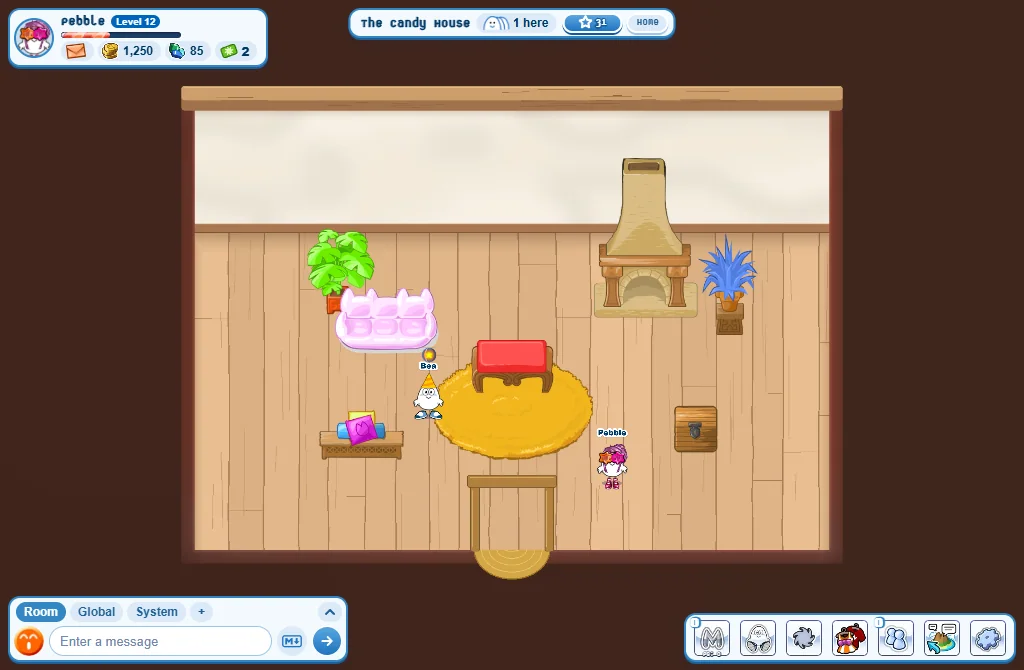
- Press the star beside the home’s name to give it a star: one a day per home.
- The home with the most stars in a week is the Home of the Week: it wins a Credits Surprise Box.
- The website’s Homes page shows the winner and this week’s most starred homes.
The Home card
Press Home beside the name:
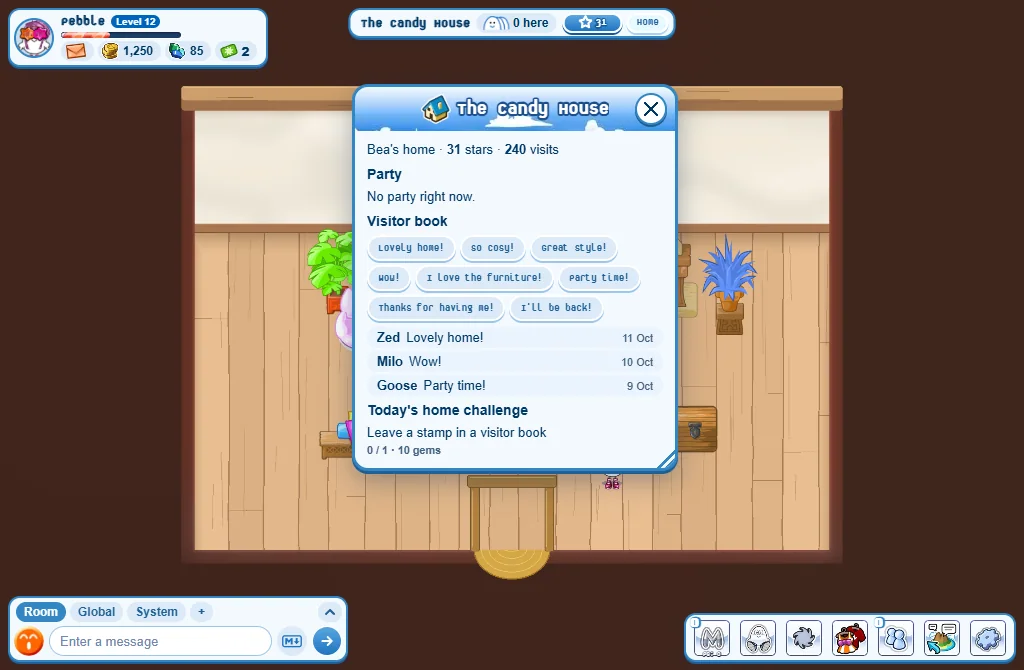
- Visitor book: leave a stamp, once a day per home.
- Party: the owner can start a 30-minute party in a Public home. It shows in the homes list under Parties now.
- Today’s home challenge: something small to do for gems.
Patting a pet
- A pet with the Homebody ability, living in a home, can be patted: press it.
- One pat a day for each pet: 2 gems for you and 1 for its owner, up to 10 gems a day each.
- Its owner gets a note saying who patted it.
When it is your home
- Invite (on a player’s profile card) lets them in for two minutes, even into a private home.
- In your own home, a visitor’s menu has Send out and Not welcome.